Lesson 04
Email Marketing
Email Marketing for Small Businesses: What to Send, When to Send It & What to Automate
Email marketing is much more than sending a newsletter every now and then.
Learn what to send, what to automate, how to write stronger subject lines, and how to protect your sender reputation so more of your emails have a chance to reach the inbox.
By the end you'll know who should receive your emails, what should be automated, and what to measure after you hit send.
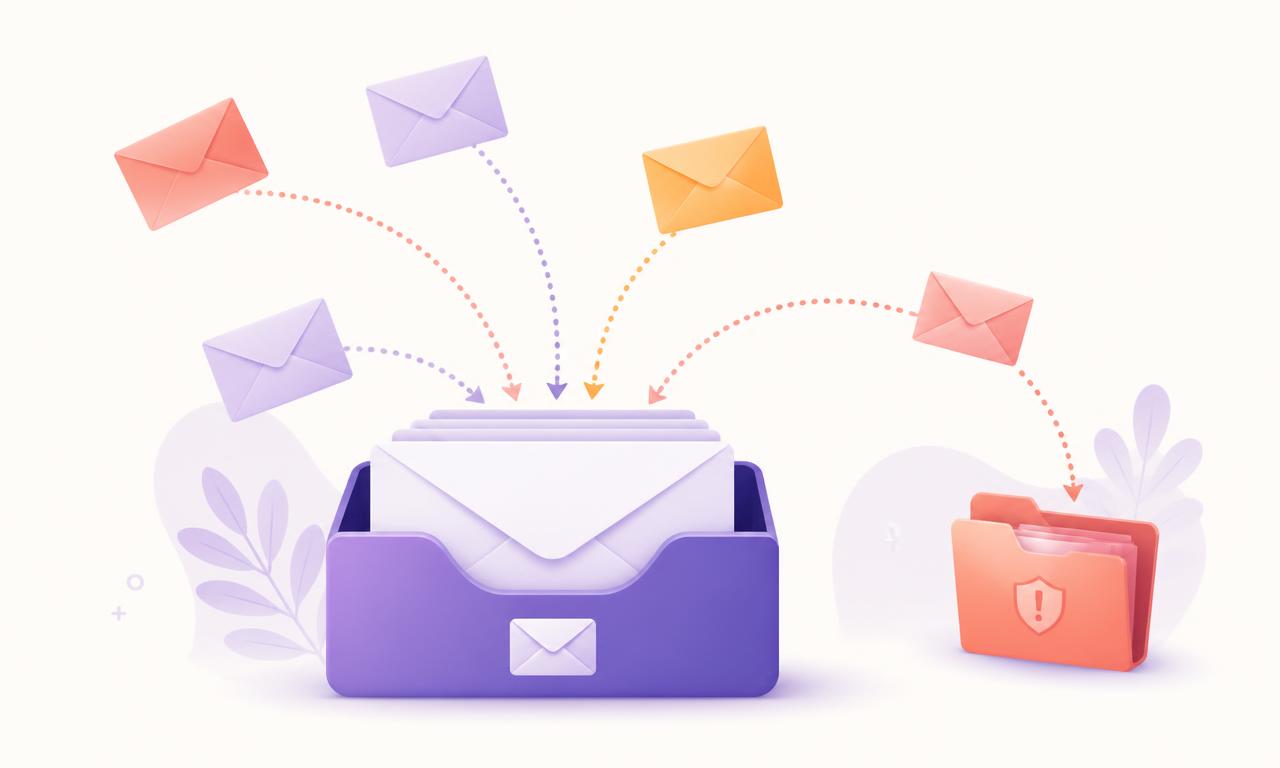
Let's start here
Email Marketing Isn't “Send a Newsletter Sometimes”
Someone gives you their email address.
Now what?
For a lot of businesses the answer is: “We should probably… email them?”
Yes. 😂
But good email marketing isn't about sending MORE emails.
It's about sending:
The right message
Something that actually helps this person.
To the right person
Not your whole list. This person.
At the right moment
Where they are in the journey right now.
For a reason
You know what this email is supposed to accomplish.
Sometimes that means a campaign.
Sometimes it means an automation.
And sometimes the smartest thing you can do… is not send an email at all.
Two different jobs
Campaign vs. Automation
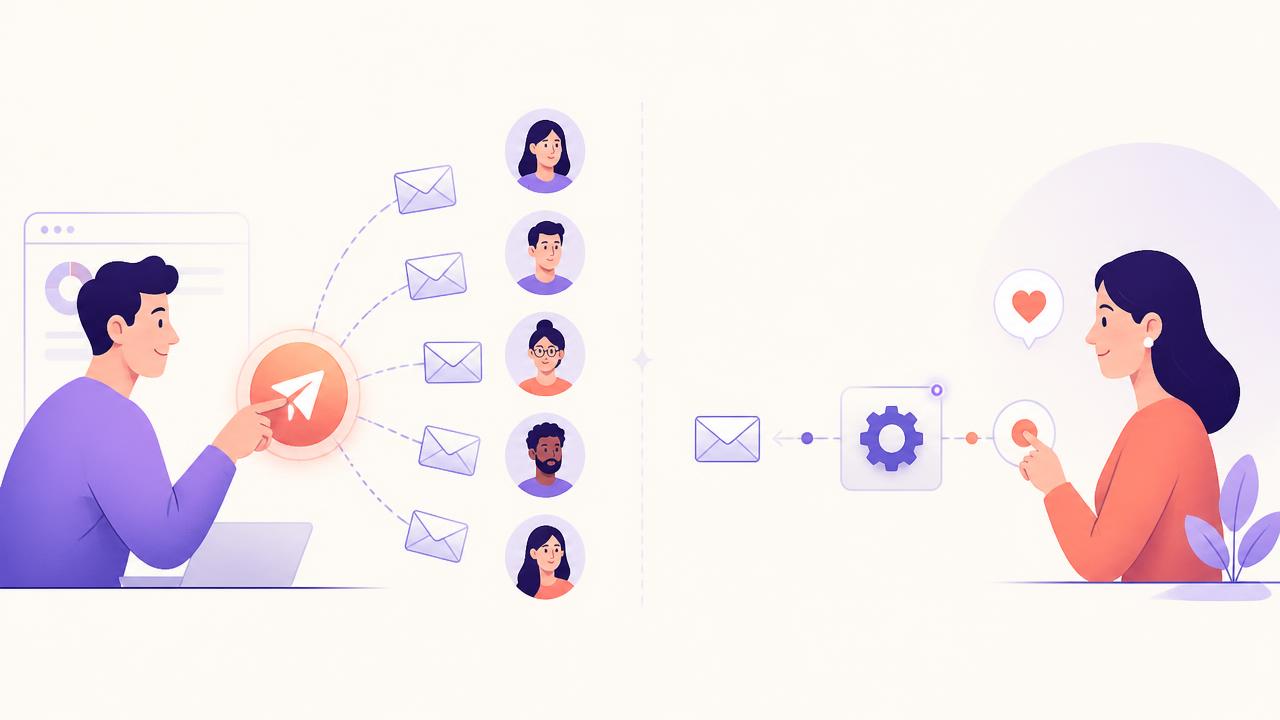
Campaign
You choose the moment.
You decide it's time, you pick the audience, you press send.
- Newsletter
- Launch
- Promotion
- New article
- Event
- Announcement
Automation
An action, condition or timing rule helps choose the moment.
Something happens — and the right email follows.
- Lead magnet downloadedDeliver it
- Appointment bookedConfirmation
- Appointment missedReschedule
- Customer purchasedOnboarding
- Customer inactiveRelevant re-engagement
Campaign = you choose the moment.
Automation = the journey helps choose the moment.
You need both.
Remember Lesson 01?
Think Journey, Not “Email Blast”
01
Attract
Email isn't doing this part.
- → Ads
- → Content
- → Search
- → Referrals
02
EmailCapture
Lead magnet requested → deliver it.
- → Deliver the resource
- → Set expectations
03
EmailNurture
Help them think, not just remember you exist.
- → Education
- → Examples
- → Stories
- → FAQs
- → Case studies
- → Helpful resources
04
EmailConvert
Make the next step easy and relevant.
- → Relevant offer
- → Book a call
- → Launch
- → Enrollment deadline
05
EmailRetain
The relationship didn't end at checkout.
- → Onboarding
- → Check-ins
- → Renewal
- → Education
- → Feedback
Ask this instead
“What emails should I send?”
“Where is this person in their relationship with my business — and what would genuinely help them take the next step?”
That question answers itself surprisingly often.
Remember what we did with custom fields?
Two Contacts. One List. Very Different Questions.
Maya
- Service Interest
- CRM & Automation
- Acquisition Source
- Meta Ads
- Lead Magnet
- Automation Audit
Daniel
- Service Interest
- Facebook Ads
- Acquisition Source
- Organic Search
- Lead Magnet
- Facebook Ads Metrics Guide
Should they receive exactly the same emails?
Big idea
Personalization is not just “Hi Maya!”
It's using what you already know — service interest, source, lead magnet, stage — to make the message more relevant. The name in the greeting is the smallest part of personalization.
The Marketing Dictionary
The Email Marketing Dictionary
Twelve words that get thrown around constantly. Search, tap, expand — no jargon required.
Whether your email actually reaches a usable place — “sent” doesn't automatically mean “sitting beautifully in the primary inbox.” 😂
The track record mailbox providers associate with your sending domain and infrastructure, based on how people react to your mail over time.
The email couldn't be delivered. Sometimes temporary (a full mailbox), sometimes permanent.
A permanent failure — usually an address that doesn't exist. Keep sending to these and you're telling providers you don't clean your list.
Someone clicked “Report spam.” This is a number we REALLY don't want getting exciting.
A published record indicating which systems are authorized to send mail for your domain.
A cryptographic signature on your messages so receiving systems can verify the signing domain and that the signed content wasn't altered.
Your published policy telling receivers what to do when authentication or alignment fails — plus reporting so you can monitor your domain.
The percentage of delivered emails recorded as opened. Useful as a trend, unreliable as truth — privacy features distort it.
How many people clicked something. Usually a much more honest signal of interest than an open.
How many people opted out. A spike usually means mismatch: wrong audience, wrong frequency or wrong content.
Sending to a specific group based on what you know about them, instead of sending everything to everyone.
Deliverability
So… Why Do Some Emails Go to Spam?
Your business
You write the email and press send.
Sending infrastructure
Your platform / sending domain hands it off.
Authentication
SPF, DKIM and DMARC checks happen here.
Mailbox provider
Gmail, Outlook, Yahoo… they decide where it lands.
Recipient
Primary inbox, promotions, spam — or nowhere.
Signals influencing the whole trip
- Permission
- Authentication
- Sender reputation
- Complaint rate
- List quality
- Sending behavior
- Content & relevance
- Recipient behavior
Notice what's not on this list: a secret list of forbidden words.
Important
There is no magic “spam word” list.
Saying “free” does not automatically send your email to spam. Modern deliverability is much more complex than one word — it's about behavior, reputation, permission, authentication and relevance over time.
Permission
Don't Email People Who Didn't Ask
✅ Healthy
- “Want my Funnel Checklist?”
- Person: “Yes!”
- → Email submitted
- → Resource delivered immediately
- → They remember who you are next week
🚩 Chaos
- “I found 14,000 emails on the internet.”
- → Import CSV
- → Send all
- → 💥
Please don't. 😂
Purchased or unexpected lists create very predictable problems:
- Spam complaints
- Poor engagement
- Invalid addresses and hard bounces
- A wave of unsubscribes
- Reputation damage that follows your domain
Permission isn't just compliance. It's a deliverability strategy.
Authentication
SPF, DKIM & DMARC Sound Scary. They Don't Need To.
SPF
Sender Policy Framework
“Which systems are authorized to send mail for this domain?”
A published record that lists the sending sources allowed to send mail using your domain.
DKIM
DomainKeys Identified Mail
“Can the receiving system verify this message's signed domain identity and integrity?”
A cryptographic signature added to your messages so receivers can verify the signing domain and that the signed content wasn't altered in transit.
DMARC
Domain-based Message Authentication, Reporting & Conformance
“What should happen when authentication or alignment fails — and how does the domain owner monitor it?”
A policy published by the domain owner telling receivers how to handle failing messages, plus reporting so you can monitor what's being sent using your domain.
Authenticated sending domain
A better foundation for trust
Authentication doesn't guarantee inbox placement — nothing does. What it does is help create the foundation for legitimate sending, and major mailbox providers increasingly expect it from anyone sending marketing email.
💡 Ask this question
“Is our sending domain properly authenticated with SPF, DKIM and DMARC — and are we monitoring its reputation?”
You don't need to configure the DNS records yourself. You just need to know the question exists.
Sending volume
Don't Go From 0 to 50,000 Overnight
Warming up
An established, predictable sending pattern. Mailbox providers like predictable.
Brand new domain
Nobody knows you yet, and suddenly you're the loudest sender in the room. That gets noticed — in the wrong way.
Google recommends increasing sending volume gradually and avoiding sudden, unexplained spikes — providers have no history to judge a brand new domain by, so a huge first send looks a lot like something they already know how to block.
If you're sending through HighLevel / LC Email with a new dedicated sending domain, the same logic applies: HighLevel also recommends warming that domain up before pushing large volumes through it.
Opt-out
Please Let People Leave. 💜
Someone doesn't want your emails anymore. They have two buttons available.
Educational context
- → Google requires qualifying bulk marketing and subscribed email to support one-click unsubscribe and include a clearly visible unsubscribe option.
- → Yahoo has published similar expectations for bulk senders.
- → For U.S. commercial email, CAN-SPAM also requires a clear opt-out mechanism and that opt-outs are honored.
This is marketing education, not legal advice.
Subject lines
Okay. Let's Get Them to WANT to Open It.
Make the value clear
The month isn't the value. The insight is.
Inbox
Your Business
9:41August Newsletter
Your Business
9:413 places your funnel may be losing leads
Be specific
Specific beats clever almost every time.
Inbox
Your Business
9:41Some tips for you
Your Business
9:415 questions to ask before increasing your ad budget
Create honest curiosity
Curiosity is fine. Bait is not.
Inbox
Your Business
9:41YOU WON'T BELIEVE THIS!!!!!!!!!
Your Business
9:41The metric I check after CPL
Front-load what matters
Most people scan their inbox on a phone, where subject lines get cut off. Put the useful part first — the clever part can wait until the email itself.
Personalize when it means something
First-name personalization is not relevance. “Hi Maya” in an email about a service Maya never asked about is still the wrong email — it just knows her name.
Use the preheader
The preheader is the second line the inbox shows. It's free space most businesses waste.
Inbox — subject + preheader
Natália Nogueira
10:07Your funnel doesn't end at the form
Here's what should happen after someone becomes a lead.
And then
Test.
Every best practice on this page has been beaten by someone's weird subject line. Your audience gets the final vote.
Interactive
Subject Line Makeover
Fix this subject line
Round 1 · currently sending
🚨🚨 URGENT!!! LAST CHANCE!!! BUY NOW!!!
Round 2 · currently sending
August Newsletter
Round 3 · currently sending
RE: Your Strategy
This isn't actually a reply to anything.
0 of 3 rounds explored
A great subject line earns attention. It doesn't trick someone into giving it.
Automation
What Should I Automate?
Lead magnet
Form submitted
- Deliver the resource immediately
- Set expectations for what comes next
- Begin relevant nurture
Appointment
Appointment booked
- Confirmation
- Preparation (what to bring / think about)
- Reminder
- Attended or no-show branch
Customer
Purchase
- Confirmation
- Onboarding
- Resources & quick wins
- Follow-up / check-in
Re-engagement
Meaningful inactivity
- A genuinely useful check-in
- Continue if they engage
- Unsubscribe or suppress appropriately
Automation should feel like
“This arrived because of where I am in the journey.”
Not
“A robot has been instructed to email me until one of us dies.” 😂
Frequency
Tuesday at 10:07 AM Is Not a Marketing Strategy 😂
There is no universal perfect frequency or magical send time. There's only what makes sense for this audience, this content and this moment. These are the variables that actually move the answer:
- Audience expectations
- Journey stage
- Type of business
- Content value
- Engagement
- Complaints
- Unsubscribes
- Campaign purpose
Ask this instead
“How often should I email?”
“Does this frequency match what this audience expected — and what are our engagement, unsubscribe and complaint signals telling us?”
Measurement
Open Rate Isn't the Truth Serum
Open Rate
Privacy technology makes open tracking imperfect. Apple's Mail Privacy Protection, for example, can pre-load images for Mail users — so a recorded “open” doesn't reliably tell you a human read your email.
Useful as a trend. Terrible as a truth serum.
Also look at
- Clicks
- Replies
- Conversions
- Appointments
- Purchases
- Unsubscribes
- Spam complaints
- Bounces
- Revenue
Remember our Meta Ads lesson? Same rule:
Start with the business question. Then choose the metric.
If the email's job is to book strategy calls, don't only ask “how many opens?” Ask: “how many qualified conversations did this email help create?”
Revisit Lesson 02: metrics & attribution →Spam complaint rate
This Tiny Percentage Matters A LOT.
0%
Ideal
0.10%
Google: stay below this
0.30%
Never reach this
Google recommends keeping the spam rate reported in Postmaster Tools below 0.10% and never letting it reach 0.30% or higher. Yahoo tells bulk senders to keep complaint rates below 0.3%. “Only a few people marked us as spam” stops being comforting once you understand the scale these numbers live on.
↓ A healthier email program
Not a guarantee of inbox placement — nobody can promise that.
Interactive
The Spam-Safe-ish Checklist
Permission
Authentication
Reputation
List health
Content
Unsubscribe
Measurement
0% through the checklist (0/14)
The main event
💌 How Healthy Is Your Email Marketing?
Email Marketing Health Check
Twelve honest yes/no questions. No email address required — the result is yours immediately.
Foundation
Did everyone on our list actively ask to hear from us?
Foundation
Is our sending domain authenticated (SPF, DKIM, DMARC)?
Foundation
Do we suppress hard bounces and invalid addresses?
Relevance
Do we segment at least by interest, source or lead magnet?
Relevance
Would a subscriber describe most of our emails as useful?
Relevance
Are our subject lines honest about what's inside?
Customer journey
Is every lead magnet delivered automatically?
Customer journey
Do new leads receive a real nurture sequence, not just silence?
Customer journey
Do appointments and customers get automated follow-up?
Measurement
Do we look past open rate at clicks, replies and conversions?
Measurement
Can we connect email activity to business outcomes (calls, sales, revenue)?
Measurement
Do we monitor unsubscribes, bounces and spam complaints?
0/12 answered · 0 yes
Nothing here is a grade. It's a map of what to fix next — and “not yet” is a perfectly respectable answer.
A quick compliance note
For U.S. commercial email, CAN-SPAM includes requirements around truthful sender and header information, non-deceptive subject lines, including a valid physical postal address, providing an opt-out mechanism, and honoring opt-out requests. This is marketing education, not legal advice — other jurisdictions may have different or additional requirements, so check what applies to you.
Final takeaway
The Goal Isn't to Send More Email. It's to Send Better Email.
Campaigns
Choose the moment.
Automations
Respond to the journey.
Segmentation
Increase relevance.
Authentication + reputation
Protect the foundation.
Subject line
Earn attention.
Measurement
Tell us what happened next.
The goal isn't to get everybody to stay on your email list. It's to keep the RIGHT people engaged with your business. 💜
Quick answers
Common Questions
- What's the difference between an email campaign and an email automation?
- With a campaign, you choose the moment — a newsletter, a launch, a promotion. With an automation, an action, condition or timing rule chooses the moment: a lead magnet is downloaded, an appointment is booked, a customer goes quiet. Most healthy email programs use both.
- Why do my emails go to spam?
- Rarely because of one “spam word.” Mailbox providers weigh permission, authentication (SPF, DKIM, DMARC), sender reputation, complaint rates, list quality, sending behavior, content relevance and how recipients react to your mail.
- Does SPF, DKIM and DMARC guarantee my email reaches the inbox?
- No. Authentication helps create the foundation for legitimate sending and is expected by major mailbox providers, but placement still depends on reputation, engagement and permission. Nobody can guarantee the inbox.
- What is a good spam complaint rate?
- Google recommends keeping the spam rate reported in Postmaster Tools below 0.10% and never reaching 0.30% or higher. Yahoo tells bulk senders to keep complaint rates below 0.3%.
- Is open rate still a useful email metric?
- As a trend, sometimes. As proof, no. Privacy technology such as Apple's Mail Privacy Protection means a recorded open doesn't reliably mean a human read your email. Look at clicks, replies, conversions, appointments, purchases, unsubscribes and complaints too.
Keep Following Along
Want to See More Insights Like This?
Add Natalia Nogueira as a Preferred Source on Google and make it easier to find my latest articles and insights.
Search my name on Google, then tap the three dots next to my result and choose “Add as Preferred Source”. You can remove it anytime.
Not Sure What Should Be a Campaign and What Should Be Automated?
Let's Look at the Whole Picture Together.
If you're trying to piece together nurture emails, lead magnets, newsletters, appointment reminders, re-engagement, deliverability and your CRM… you don't need to know the technical answer before reaching out.
That's exactly what strategy is for. 💜